
Domain registration guide · An afternoon · About $11 a year for a .com
Name your startup and buy the domain
Pick a name in an afternoon, check that nobody in your field already uses it, buy the domain without the add-ons, and point it at a DNS host you can keep.
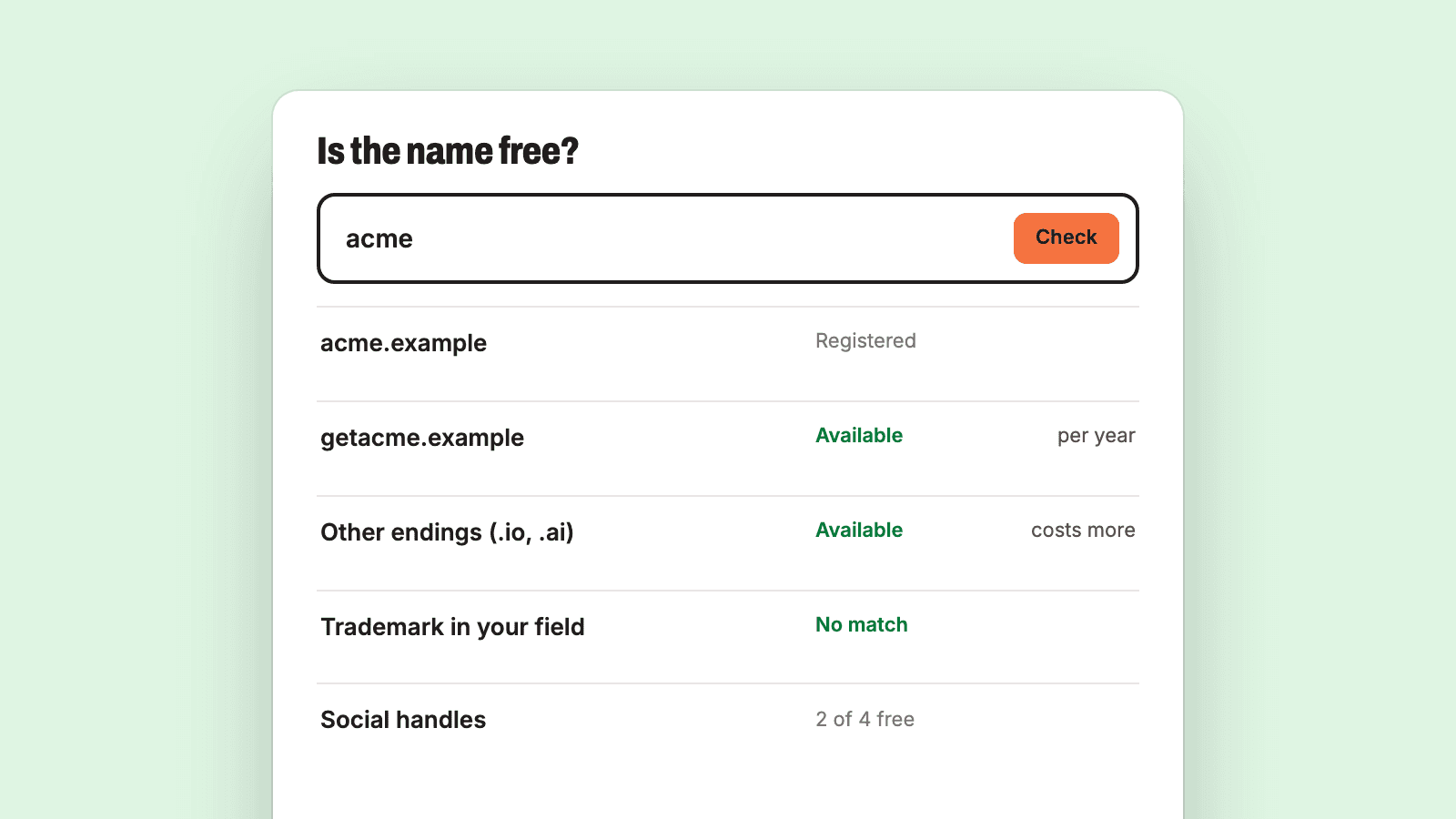
Last verified against the official Domain registration documentation on October 11, 2026. Prices and free tiers change, so open the linked pages before you rely on a number.
Working with a coding agent? Get the agent file for this guide. It covers the same setup as exact steps an agent can follow.
This is the first step on the path: before the email address, the website or the company paperwork, the business needs a name and a domain. Our advice is to spend an afternoon on it. Pick a name you can say out loud and spell, check that nobody in your field already owns it, buy the domain and start. A name can be changed later. The months spent choosing one cannot be recovered.
The next step after this one is business email on the domain you buy here, so the last two steps of this guide leave the domain ready for that.
Our own domain shows the setup this guide ends with. The public registration record for startupquickstart.com says it was registered on May 10, 2020, that the registrar is Squarespace Domains II LLC, and that its nameservers belong to Cloudflare. The company that holds the registration and the company that answers DNS for it are different, and step 8 explains why we recommend that.
What it costs
The checks in this guide are free. The domain is the only purchase, and the price depends almost entirely on the ending. At the time of writing, Porkbun's price list shows a .com at $11.08 a year to register and the same to renew, with ICANN and other fees included. Step 6 compares that with .io, .ai and .co, which cost several times more.
DNS hosting does not have to cost anything. Cloudflare's plans page lists a Free plan at $0 a month with DNS included.
A federal trademark application is a separate cost and a separate decision. This guide covers searching, which is free, and stops before filing.
What to choose, in short
- The name: one you can say on a phone call without spelling it twice. Two or three syllables, ordinary letters, no digits and no hyphens.
- The ending:
.comif a version you can live with is free. It is the cheapest of the common endings and the one you never have to explain. - The registrar: one that charges the same price at renewal as it advertises, includes privacy at no charge, and supports two-step sign-in.
- The DNS host: chosen separately from the registrar, so you can change either without touching the other.
Before you start
- One sentence that says what you sell and to whom. The trademark check in step 2 depends on it.
- An email address you will still have in five years, for the registrar account. Do not use an address on the domain you are about to buy: if the domain breaks, so does your way back into the account.
- A payment card, and an authenticator app or security key for two-step sign-in.
- A timer. Give the naming an afternoon and the purchase 20 minutes.
Step 1: write a long list, then cut it hard
Set a timer for 30 minutes and write down every candidate without judging any of them. Thirty names is a good target. Three places to look:
- Plain words for what the product does or what the customer gets.
- Two short words joined together.
- A real word from somewhere else (a place, a tool, an animal) that carries the feeling you want.
Then cut. Cross out a name if any of these is true:
- You say it to someone once and they cannot type it correctly.
- It needs a hyphen, a digit or a deliberate misspelling to work as a domain.
- It is a competitor's name with one letter changed.
- It describes one feature so narrowly that it will be wrong if the product grows.
Keep the best five, in order of preference. The checks below run on those five, and the first one to pass all of them is your name. Do not go back for a sixth unless all five fail.
Step 2: check that nobody in your field already uses it
This is the check that matters most, and it is the reason a name can be forced to change later. In the United States the test is narrower than "has anyone ever used this word". The USPTO's page on likelihood of confusion says a conflict needs two things together: the trademarks are confusingly similar, and the goods and services are related. It gives Dove soap and Dove ice cream bars as identical names with different owners that are both registered. So the question to ask of each candidate is whether someone selling something like yours is already using something like it.
- Open the USPTO's free Trademark Search system and search each candidate. The search page links to its help and training.
- Look past exact matches. The USPTO says trademarks do not have to be identical to be confusingly similar, and that they can be similar in sound, appearance or meaning. Search the obvious respellings too.
- Read what each result is registered for. A live result for related goods or services is a reason to drop the candidate. The USPTO's guide to federal searching says only live applications and registrations can block a new registration, and that dead ones can still cause legal problems if the name is still in use.
- Search the web. The federal database is one part of what the USPTO calls a comprehensive clearance search, which also covers state trademark and business registries and the internet, because a business can have rights in a name it uses without ever registering it. Search each candidate with your industry next to it, in more than one search engine.
A search you run yourself is not legal advice, and neither is this guide. The USPTO says its own employees cannot give legal advice and that searching cannot give a clear-cut answer about whether a trademark can be registered. It strongly encourages hiring a U.S.-licensed trademark attorney, who can run a full clearance search and give a legal opinion on the results. Talk to one before you file a trademark application, before you spend real money on the name (packaging, signage, a paid launch), when your search finds something close and you cannot tell whether it is a problem, and the day you receive a letter from someone who says the name is theirs.
One more thing the search does not do: owning the domain gives you no claim to the name. The USPTO's overview of the trademark process states that registering a domain name with a registrar does not give you any trademark rights.
Step 3: check your state's business registry
If you will form an LLC or a corporation, the state where you form it has to accept the name. The SBA's page on registering your business says most states do not allow you to register a name that someone else has already registered there. Search the business registry on your own state's official site, which is usually run by the Secretary of State.
Two examples of what those sites offer. California's Secretary of State has a Business Search and says on its name reservations page that it is only a preliminary search, and that names are not checked against trademark registrations. Delaware's Division of Corporations lets you reserve an entity name for 120 days for a $75 fee, and says a reservation is not required to form the entity. You do not need to reserve anything today. You only need to know the name is not already taken in your state.
Keep the four kinds of registration apart in your head. The SBA's page on choosing a business name lists them (the entity name with your state, a trademark, a "doing business as" name and the domain name) and says each one is legally independent of the others. Clearing one tells you nothing about the rest, which is why this guide checks them one at a time.
Step 4: check the domain
Do this in a lookup tool or a terminal before you type the name into a registrar's search box. The official tool is ICANN Lookup. It reads registration data over RDAP, the protocol that ICANN describes as the replacement for WHOIS. The same page says every registry and registrar for a generic ending must provide RDAP, and that since January 28, 2025 they are no longer required to provide WHOIS, with .com, .name and .post as the exceptions.
From a terminal you can ask the registry directly. IANA's record for .com gives the registry's RDAP server, and the query is the server address followed by domain/ and the name, as RFC 9082 defines it:
# Prints 200 when the name is registered and 404 when the .com registry has no record of it.
curl -s -o /dev/null -w '%{http_code}\n' https://rdap.verisign.com/com/v1/domain/example.com
The RDAP standard says a server with no data for a query answers 404. When we ran this command, a registered name printed 200 and a name nobody has registered printed 404. Drop the output flags to read the whole record for a name that is taken:
# The record as JSON: registrar, registration and expiration dates, status codes, nameservers.
curl -s https://rdap.verisign.com/com/v1/domain/example.com
Other endings have other servers. IANA publishes the list as a bootstrap file. On the day we checked, that file had entries for .com, .ai, .dev and .app and none for .io or .co. For those two, use the older tool:
# Registrar, dates and nameservers. Works for endings such as .io and .co that have no RDAP server listed.
whois example.com
A 404 means the registry has no record of the name. It does not promise you can buy it at the standard price. Some names are sold as premium names at a higher price (Porkbun's list says its prices are for names that are not premium), and Cloudflare's registration steps note that the definitive availability check happens when you select Purchase. If your first choice is taken, do not negotiate with whoever holds it. Go to the next name on your list.
Step 5: check the social handles
Open the two or three platforms where your customers actually are and look for the name as a handle. There is no official tool that checks every platform, so do it by hand on each site. A handle that is taken is rarely a reason to drop a name: adding a short word such as "hq" or "app" works. An active account in your field using the same name is different. That is evidence for step 2, and a reason to move to the next candidate.
Step 6: pick the ending
The first name on your list that has passed every check and has a free .com wins. If the .com is gone for a name you would otherwise keep, the other endings are an option, and it helps to know what they are and what they cost.
IANA's root zone database shows that .com is a generic top-level domain run by Verisign, while the three popular alternatives are country codes: .io is assigned to the British Indian Ocean Territory, .ai to Anguilla, and .co to Colombia. Anyone can register them, but their prices and rules are set by those registries.
The differences in price are large. These are the standard prices on Porkbun's price list at the time of writing, for names that are not premium:
.com: $11.08 to register, $11.08 a year to renew..dev: $12.87 a year at the regular price..app: $14.93..co: $15.76 for the first year on sale, then $31.20 a year..io: $28.12 for the first year on sale, then $51.80 a year..ai: listed at $82.70, and Porkbun's .ai page notes that.aidomains require a minimum term of two years for registration and renewals.
Read the renewal column, not the sale price. You will pay the renewal price every year for as long as the company exists.
Our recommendation: take the .com when you can. A short extra word in front of or behind the name (get, try, use, hq, app) on .com is a better trade than a clean name on an ending that costs several times as much. Choose .io or .ai when your customers are technical, the ending means something to them, and the renewal price does not bother you. Do not buy every ending to protect the name. Buy one and start.
Step 7: buy it, and know what to decline
Buy from an ICANN-accredited registrar. ICANN keeps the list of accredited registrars, and its page on registering a domain name explains that resellers are not accredited and that the registrar behind them stays responsible for the names they sell.
Two registrars whose documentation we read for this guide show what to look for. Cloudflare Registrar says it charges only what the registry charges, with no markup, and redacts your contact details by default. Porkbun publishes one price list for registration and renewal and includes WHOIS privacy with every domain. Any registrar that meets the four points under "What to choose" is fine.
Cloudflare's steps for registering a domain are typical: search for the name on the Register domains page, select Purchase, pick the number of years from the Payment option menu, enter the contact details and select Complete purchase. One year is enough. You can add years at any time, and auto-renew does the rest.
At checkout, on any registrar:
- Privacy protection: expect it free. It keeps your name, address and email out of the public record. Cloudflare's page on WHOIS redaction says it offers this for free. If a registrar charges for it, use a different registrar.
- Email hosting: decline. You will set up business email in the next step, on a service built for it.
- Website builders, hosting, SEO tools and paid certificates: decline. None of them is needed to own a domain.
- Extra endings and lookalike names: decline.
Then, before you close the tab, turn four things on:
- Auto-renew, with a card that will not expire next month. ICANN's page on renewal and expiration says a registrar may delete an expired name, that a deleted name can be restored during a 30-day redemption period, and that after five more days in pending delete it is released for anyone to register. The same page recommends keeping your contact and payment details current. Cloudflare turns auto-renew on by default and first attempts the renewal about 30 days before expiration.
- The registrar lock, also called a transfer lock. In the registration record it shows as the status
clientTransferProhibited, which ICANN's list of status codes describes as telling the registry to reject requests to transfer the domain away from your registrar. ICANN says asking for it can help prevent unauthorized transfers. - Two-step verification on the registrar account. Whoever can sign in to that account controls the domain, and with it your email and your website. Cloudflare's two-factor authentication page recommends enabling at least two factors and storing the backup codes safely. Do the same wherever you register.
- The verification email. The registrar will email the contact address to confirm it. Click the link. Cloudflare's registration page says ICANN requires this, and that an unverified address puts a hold on the domain and replaces its nameservers with parking nameservers until you verify.
One rule to know before you choose: ICANN's transfer questions page says a registrar may deny a transfer request within 60 days of the initial registration. You are not locked in for good, but you cannot count on moving in the first two months.
Step 8: keep the registrar and the DNS host as separate decisions
A domain involves two jobs. The registrar holds the registration and tells the registry which nameservers speak for the domain. The DNS host runs those nameservers and holds the records: where the website is, where mail goes, the verification records every later guide will ask you to add. Registrars offer DNS hosting and it works. We treat the two as separate choices anyway, because it means either one can be replaced without moving the other.
Registrars also change hands without asking you. Squarespace's help center says that on September 7, 2023 it acquired all domain registrations and their customer accounts from Google Domains. That is how a domain can end up at a registrar its owner never chose. When DNS is hosted somewhere else, a change like that does not touch a single record.
There is one exception to plan around. Cloudflare's registration page says every domain bought through Cloudflare Registrar uses Cloudflare nameservers, and that you cannot change to another DNS provider's nameservers while the domain stays there. That is a fair price for registration at cost if Cloudflare is the DNS host you wanted. It is the wrong registrar if you want the two kept apart.
To point a domain at a DNS host, using Cloudflare's full setup as the example:
- In the Cloudflare dashboard, go to Domains and select Onboard a domain. Enter the domain and choose a plan.
- Copy the two nameservers Cloudflare assigns. They are also shown later on the zone's Overview page.
- Sign in to the registrar. If DNSSEC is on, turn it off there first. Cloudflare's page says changing nameservers with DNSSEC active can make the domain unreachable. You can turn it back on from the new DNS host afterwards.
- Replace the registrar's nameservers with the two you copied, exactly as written. At Squarespace, for example, the nameserver instructions are to open the domain, go to DNS, then Domain Nameservers, select Use Custom Nameservers, enter them and save.
- Wait. Cloudflare says to allow up to 24 hours, and Squarespace says up to 48.
Then check from a terminal. This form of the command is from Cloudflare's setup page:
# The nameservers public DNS returns for the domain right now.
dig ns example.com @1.1.1.1
When the answer lists the new nameservers, the domain is ready for the records the next guides add. Run on our own domain, the same command answers with two names ending in ns.cloudflare.com.
When a rename is worth it
Most doubts about a name are not reasons to change it. These are:
- Someone with an earlier claim to the name in your field objects. Take the letter to a trademark attorney before you answer it. The USPTO's page for people who have received a cease and desist letter carries the notice that its information does not replace advice from an attorney.
- Customers keep getting it wrong: they cannot spell it after hearing it, or they confuse you with another company often enough that it costs you sales or support time.
- The business has changed and the name now describes something you no longer do.
"I have gone off it" and "a better one occurred to me" are not on the list. A rename is cheapest before launch, when it costs one more domain and an afternoon. It gets more expensive with every customer, link and invoice that carries the old name. That is the argument for doing the checks in this guide once, properly, and then leaving the name alone.
Where this goes wrong
- Treating a free domain as clearance. The domain check and the trademark check answer different questions. A free
.comsays nothing about whether a company in your field already uses the name. - Buying on the first-year price. The renewal price is the real one.
- Registering with an address on the new domain. Use an address that works even when the domain does not.
- Letting someone else register it for you. The account that holds the domain should belong to the company's owner, with a contractor or agency given access if they need it.
- Skipping the verification email. The domain can be put on hold weeks later, after you have built on it.
- Spending a month here. Nothing else on the path can start until this step is done.
Hand this to your agent
This guide is also written out for a coding agent, as one Markdown file. It has the checks to run in your repository first, each step with its commands and code, the environment variables by name, a check after every step, and the points where the agent has to stop and ask you. Get the agent file and give your agent the file or its address.
The file has the agent check a list of names you give it and report a table. Choosing the name, judging a trademark result, creating accounts and buying the domain stay with you.
Next
With the domain bought and its nameservers pointed at your DNS host, the next step on the path is business email on that domain.
Sources
- Choose your business name, U.S. Small Business Administration
- Register your business, U.S. Small Business Administration
- Search our trademark database, USPTO
- Trademark Search system, USPTO
- Likelihood of confusion, USPTO
- Federal trademark searching, USPTO
- Comprehensive clearance search for similar trademarks, USPTO
- Hiring a U.S.-licensed attorney, USPTO
- Trademark process, USPTO
- Been sued or received a cease and desist letter?, USPTO
- Name reservations, California Secretary of State
- How to form a new business entity, Delaware Division of Corporations
- Registration Data Access Protocol (RDAP), ICANN
- ICANN Lookup, ICANN
- Registering domain names, ICANN
- List of accredited registrars, ICANN
- Domain name renewal and expiration, ICANN
- EPP status codes, ICANN
- Transferring your domain name, ICANN
- Delegation record for .com, IANA
- RDAP bootstrap file for domain names, IANA
- Delegation records for .io, .ai and .co, IANA
- RFC 9082: RDAP query format, RFC Editor
- RFC 7480: HTTP usage in RDAP, RFC Editor
- Domain pricing, Porkbun
- .ai domain names, Porkbun
- Cloudflare Registrar, Cloudflare Docs
- Register a new domain, Cloudflare Docs
- WHOIS redaction, Cloudflare Docs
- Renew domains, Cloudflare Docs
- Two-factor authentication, Cloudflare Docs
- Change your nameservers (full setup), Cloudflare Docs
- Plans, Cloudflare
- About the Google Domains migration to Squarespace, Squarespace Help Center
- Review, change, or reset your domain's nameservers, Squarespace Help Center
Want this already wired together?
We are packaging this stack into production kits. They are not available yet. If you would rather have us build it with you now, book a call.