
AI tooling guide · About two hours for the first layer, then one layer at a time · From $20 a month, or $200 a year
Let AI help run your company
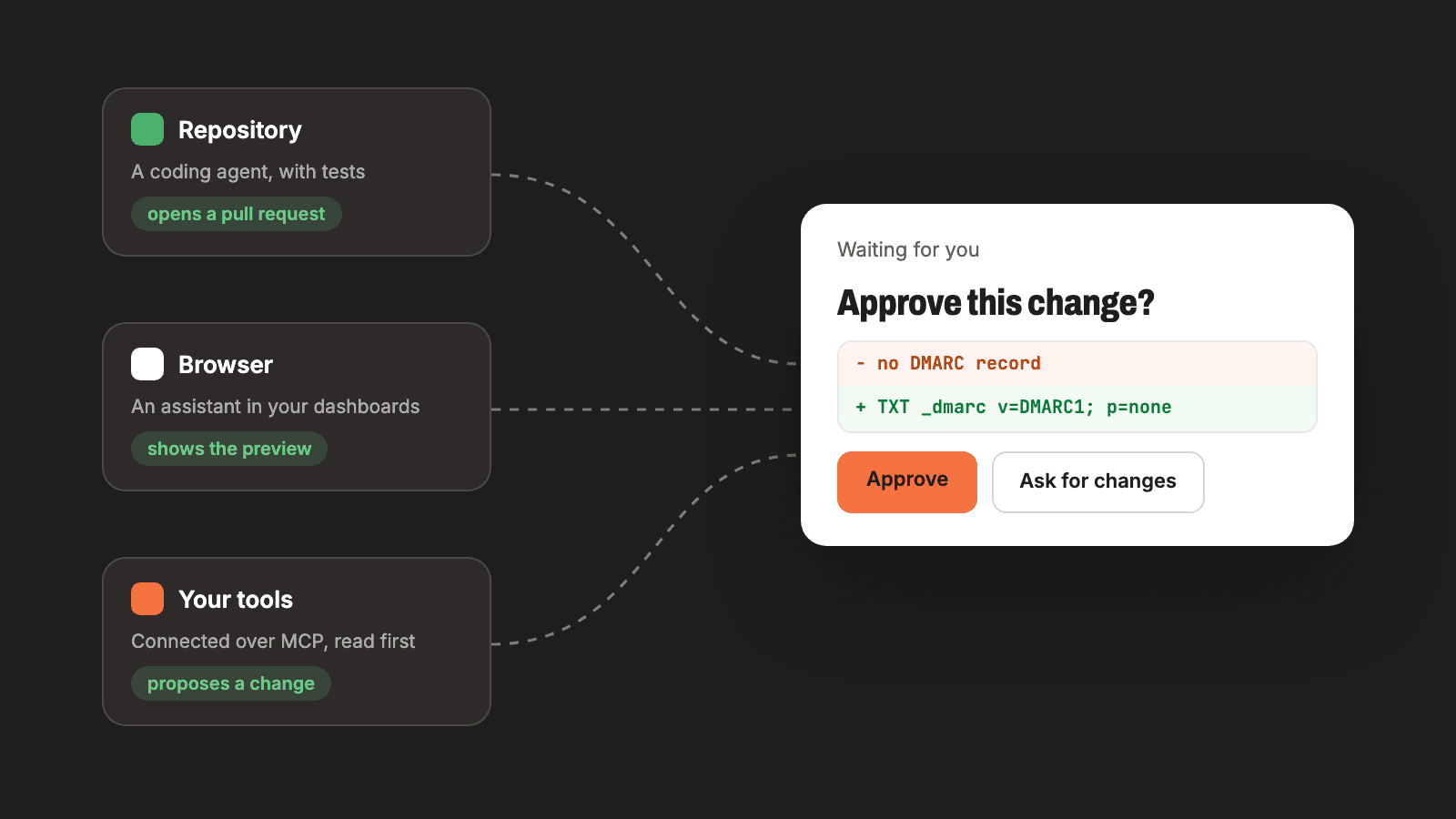
A coding agent in your repository, an assistant in your browser and MCP to connect your tools, set up in that order, with examples from our own work and a person approving anything that publishes, spends, sends or deletes.
Last verified against the official AI tooling documentation on October 11, 2026. Prices and free tiers change, so open the linked pages before you rely on a number.
Working with a coding agent? Get the agent file for this guide. It covers the same setup as exact steps an agent can follow.
This site's repository is set up for AI agents to work in. It has an instruction file that every agent session reads first, nine skills for jobs we repeat, two ongoing "specialist" agents whose memory is a folder of files, and a small MCP server of our own. This guide walks through that setup in the order we would build it again, with examples from our own work, and marks each point where a person still decides.
It is step 16 on the path, in the stage called "Run it with AI". We fall short of our own advice in four places, and each one is named in the step it belongs to.
What to choose, in short
- First, a coding agent in your repository. We use Claude Code. Its work arrives as a branch and a pull request, which you can read, test and reject.
- Second, an assistant in your browser for admin work you cannot reach from a terminal: dashboards, DNS screens, vendor consoles. This guide covers Claude in Chrome.
- Third, MCP to connect the assistant to your tools and data, read-only first.
- One rule across all three: the agent proposes, and a person approves anything that publishes, spends, sends or deletes.
Add them in that order. The habits from the first layer are what make the next two safe to add.
Steps 1 to 5 apply to other coding agents with the file names changed. Their own documentation names the files: Codex reads AGENTS.md, Cursor reads .cursor/rules, and GitHub Copilot reads .github/copilot-instructions.md. We have not run those three on this repository.
What it costs
At the time of writing, Anthropic's pricing page lists a Free plan at $0, a Pro plan at $17 a month with an annual subscription ($200 billed up front) or $20 billed monthly, and a Max plan from $100 a month with 5 or 20 times the usage of Pro, all before tax. Pro includes Claude Code and Claude in Chrome, and the page's comparison table shows neither on the Free plan.
A plan buys usage, with no fixed message count. The page says every plan has limits that reset on a rolling five-hour window, that paid plans add weekly limits, and that Claude Code and your chats draw from one pool. Claude Code's page on managing costs says /usage shows what counts against your plan limits. MCP adds no fee of its own: the project describes it as an open-source standard, and you pay for wherever a server is hosted.
Before you start
- A repository on GitHub with an app that installs and starts from documented commands.
- A test command, even if it runs three tests. Step 4 depends on it.
- A paid Claude plan, and Google Chrome for step 6.
- A written list of things only you do. Ours is short: enter a password, create an account, choose a plan, pay, merge to the main branch, and anything that cannot be undone.
Step 1: write the project instruction file
Install Claude Code from its overview page and start it in the repository. Before you ask it for anything, give it the file it reads first. Anthropic's page on how Claude remembers your project says each session begins with a fresh context window and that a CLAUDE.md file at the repository root is read at the start of every session. Running /init generates a first version.
This is the outline of ours, with the contents replaced by what each section is for:
# CLAUDE.md

Context for AI agents working in this repo. Read this first.

## What this is
Two or three sentences: what the product is, who it is for, what is live.

## Monorepo layout
One line per package and app: its name and its one job.

## Run modes
What runs with no keys at all, and what each optional key adds.

## Architecture
How a request, a page or a job moves through the code. Paths, no tutorials.

## Deployment
Host, branch, what a merge does, the health check path.

## Commands
The install, build, type-check, lint and test commands, exactly as typed.

## Conventions
The rules a reviewer would otherwise repeat: types, naming, imports, tests.

## Verification discipline
What has to be checked by running the app, because the tests cannot see it.

## Gotchas
Things that cost time once. One bullet each, with the fix.

## Env reference
Variable names only. Never a value.

## Skills
The skills in .claude/skills/ and when to use each.
The sections that earn their place are the ones an agent cannot work out from the code. Our Commands section says to build the packages before starting the dev server, because the database client comes from a build step the package manager otherwise skips. Our Verification section puts the split between agent and person in one line: "Agents verify markup; you verify pixels."
Two points from the same Anthropic page decide how to write it:
- Short. The page says to target under 200 lines, because longer files consume more context and reduce adherence. Ours runs past 300, so here we fall short of our own advice. The page's remedy is to move anything that is a procedure into a skill, which is step 2.
- Guidance only. The page says Claude treats the file as context and does not enforce it. A rule that must hold every time belongs in a permission rule or a test, which is step 4.
Keep it current, because a stale line misleads every session that reads it. Our own Skills section names four of the nine skills in the folder. Update the file in the same pull request as the change that makes it wrong.
Step 2: turn repeated tasks into skills
A skill is a folder with a SKILL.md file in it. Anthropic's page on skills gives the format: YAML frontmatter between --- markers, where the description tells Claude when to use the skill, then the instructions in Markdown. A skill committed at .claude/skills/<name>/SKILL.md loads in every session in that repository, and you can run it yourself by typing / and its name. The page says to create one when you keep pasting the same instructions into chat.
Our nine fall into four kinds: an overview that says "read this first", recipes for changes that touch several files in a fixed order, loaders and weekly routines for the ongoing agents in step 3, and a worker that processes one item from a queue, covered in step 8. One of the routines, trimmed:
---
name: blog-weekly
description: Run the weekly blog review. Scorecard, confirm this week's post is live, re-check sources on the next queued posts, then a short report and a new scorecard row. The owner starts it by hand ("run the blog weekly"); never run it unprompted or on a schedule.
---

# Blog weekly review

Started by the owner only. Load context first with the blog-specialist skill if this session has not. Work in a worktree off origin/main.

## 1. Source check
For the next two queued posts, check every link. Return only the broken ones, each with a replacement source you opened.

## 2. Scorecard
Run the scorecard script from the repo root. Append its row to scorecard.md.

## 3. Reads due
For each change-log entry past its read date with no result: pull the numbers, write the result and a verdict (keep / revise / revert).

## 4. Report and ship
Write reports/YYYY-MM-DD.md. Commit on the branch, open a PR to main, and give the owner the headline in chat in 3 lines.
The description says what the skill does, the words that start it, and who may start it. The last step is a pull request and a three-line summary in chat. The routine does not merge or deploy.
"Never run it unprompted" in a description is an instruction, and an instruction can be ignored. The skills page documents a stronger control: disable-model-invocation: true in the frontmatter means Claude cannot start the skill on its own, and Anthropic recommends it for workflows with side effects. Our skills do not set it yet. Set it from the start on any skill that commits, sends or deploys.
Step 3: give ongoing work a memory in files
A chat ends and its context goes with it. For work that continues for months, such as a blog, we keep the agent's memory in the repository. We call the pattern a specialist: one folder per ongoing job, loaded by a skill at the start of each session. The folder for one of ours holds these files:
CLAUDE.md              goal, targets, rules
README.md              the cadence and what each run produces
scorecard.md           one row per week (append only)
change-log.md          every change with its read date and result (C#)
decisions.md           D# decisions, dated, with the reason
reports/YYYY-MM-DD.md  one per run
../findings.md         numbered evidence (shared by all the agents)
../backlog.md open questions waiting on the owner (shared)- The instruction file states the goal as a number, the metrics with a baseline and a target, and the rules. One rule is that nothing publishes without the owner.
- Decisions are numbered, dated and carry the reason. A reversal is a new entry that links the one it replaces, which stops a new session from arguing a settled point again.
- The change log gets an entry before a change ships, with the effect we expect and a date to come back and read the result.
The change-log template, as the file gives it:
## C# (YYYY-MM-DD) Short name
- **Change:** what, where (PR link)
- **Why:** finding or decision it rests on
- **Expect:** the effect, in a metric
- **Measure:** the metric and its baseline
- **Live:** date merged and deployed
- **Read on:** live + 28 days
- **Result:** (filled at the read) numbers, verdict: keep / revise / revert
The loader skill reads those files in a fixed order, gives a briefing of at most five lines and asks what to work on. Its last section ends with the sentence "Chat is not memory." Everything learned in a session has to be in a file, in a pull request, before the session closes.
Step 4: make tests the guardrail and pull requests the gate
An agent needs a way to find out that it is wrong without you. Anthropic's best practices page says to give Claude a check it can run, such as a test suite, a build or a linter, so that it does the work, runs the check, reads the result and iterates. In this repository those checks are three commands after the install:
pnpm install
pnpm type-check
pnpm lint
pnpm test
Tests can hold rules that have nothing to do with code. The guides on this site are checked by a test that fails if a guide links to a host outside a list of official ones or carries a string shaped like a real key.
Then put a gate between the agent and anything live. Ours is the pull request. Our hosting deploys when a commit lands on the main branch, so the merge is the moment that publishes, and the merge belongs to a person. Every change the assistant made in the working sessions described in this guide shipped as a pull request that the owner merged. The assistant never merged and never pushed to the main branch.
A second reviewer earns its keep at that gate, whether it is a person or an automated review. An automated security review of the assistant's own pull request, which wired up product analytics, found that turning it on would have sent page URLs containing a checkout session id to the analytics vendor. Several rounds of fixes to a text scrubber each drew a new finding. The fix that held was to stop cleaning text and send only an allowlist of fields. The rule we took from it: prefer a rule you can list over a filter you have to trust.
What this repository does not have yet is a workflow that runs the test suite on every pull request. The tests run when a person or an agent runs them. If yours is the same, add that workflow and make it a required status check. GitHub's page on protected branches describes the rules that require passing checks before a merge, and two details matter to a founder working alone. Protected branches are available in public repositories on GitHub Free and need a paid plan for private ones. By default the restrictions do not apply to people with admin permissions, so turn on the option that applies them to administrators too, or the rule will not bind you.
The agent's own permissions are the last part. Anthropic's page on permissions says the rules are enforced by Claude Code and not by the model, and that they are evaluated in the order deny, ask, allow. The settings page gives this example, which lets lint and test commands run without a prompt and stops Claude from reading .env files:
{
  "permissions": {
    "allow": [
      "Bash(npm run lint)",
      "Bash(npm run test *)"
    ],
    "deny": [
      "Read(./.env)",
      "Read(./.env.*)"
    ]
  }
}
That example is Anthropic's, and this repository commits no settings file. A project's rules go in .claude/settings.json.
Also know which mode you are in. The page on permission modes says that from version 2.1.283 interactive terminal sessions start in auto mode, where a classifier model reviews actions in your place, and that auto mode does not guarantee safety. To approve each action yourself, start with claude --permission-mode manual. Deny rules block in every mode.
Step 5: hand over one task with an agent file
With the first four steps in place, the unit of work to hand over is one task written as a file. Every guide on this site has one, and all of them use the same seven headings in the same order: Goal, Preconditions, Environment variables, Stop and ask the human, Steps, Done when, Sources. The test from step 4 fails if a heading is missing or out of order.
The section that matters most is the fourth. The first three rules are shared by every agent file, and each file adds its own:
## Stop and ask the human

- Any secret value. Ask for the variable to be set by the human. Never print, log, commit or echo a secret, and never ask for one to be pasted into the conversation.
- Any sign-in, account creation, plan choice or payment method.
- Anything that deletes data or cannot be undone.
- Creating or changing DNS records. Show the records and wait.
- Adding columns or running a migration.
- Anything that publishes, sends or spends: a merge to the main branch, a deploy, an email, a post, a purchase. Open a pull request or write a draft, and wait.
- Any new connector, key or permission.
Two live guides show where the split falls:
- Deploying to Railway: the agent writes the health route and the config and runs the deploy. Signing in, secret values and DNS records stay with you.
- Taking payments with Stripe: the agent stays in a sandbox and never invents a price. Everything in live mode stays with you.
When you write your own, copy the shape and keep the check after every step.
Step 6: add an assistant in the browser for admin work
On October 11, 2026, while writing the business email guide, we checked our own DNS and found that this site's domain had no DMARC record. The owner said to add it. The Cloudflare API token we had stored turned out to be expired, so the assistant worked through Claude in Chrome, in the owner's signed-in Chrome session. It opened the Cloudflare DNS page, read the existing records first, filled in one TXT record, checked it against the preview line the form displays, saved, and then confirmed the record from a terminal with dig.
Reading the existing records first also corrected a mistake. From command-line lookups, the assistant had concluded that our transactional email domain was never set up. The dashboard showed that it was, under a subdomain the assistant had not checked.
In that session the assistant did not create an account, enter a password or payment details, or delete anything. It noticed a stale record, reported it, and left the decision to the owner.
That session shows what a browser assistant is for, and these are the rules we take from it:
- Read before you write. The page in front of you is the record of what exists. A conclusion reached from outside it can be wrong, as ours was.
- One change, named by the owner. The assistant shows what it is about to save, saves that one thing, and confirms the result by a second route. Here that route was a DNS lookup.
- Some things stay with you: passwords and codes, new accounts, billing and payment pages, and every deletion. Whatever else the assistant notices, it reports.
- The browser is the fallback. When a service has a working API or command line tool, use that from the coding agent, because a command can be reviewed before it runs and repeated afterwards.
Anthropic's help article describes Claude in Chrome as a browser extension that lets Claude read, click and navigate websites alongside you, available on all paid plans. The page on using Claude Code with Chrome says to start with claude --chrome and run /chrome to check the connection. It also says Claude shares your browser's login state, so it can reach any site you are already signed in to, and that it pauses and asks you when it meets a login page or a CAPTCHA.
Read Anthropic's article on using Claude in Chrome safely before the first task. It says the biggest risk is prompt injection, meaning instructions hidden in a page, an email or a document, and that the risk is not zero. Claude works from screenshots, so whatever is visible in the tabs it uses becomes part of the conversation. Anthropic strongly advises against using it to manage financial accounts, handle legal documents or process medical information, recommends a separate browser profile without access to sensitive accounts, and says you remain responsible for every action taken on your behalf. The side panel can start in a mode labeled "Automatically approve". Switch it to "Manually approve" to review every action.
Step 7: connect your tools with MCP
In the same working sessions, the assistant read our hosting project's service list and the names of its variables through a Railway MCP connector. It also read the infrastructure plan that CI posts on a pull request, to confirm that a configuration change would add one variable and nothing else.
Both were reads, and that is the rule: connect the assistant to your tools one at a time, for reading first. A read lets the agent check its own proposal against what is really running before you approve it.
The Model Context Protocol's architecture overview describes a host (the AI application, such as Claude Code) and servers that provide tools, resources and prompts, either as a local process over stdio or remotely over HTTP. Start with servers a vendor already runs. Anthropic's page on connecting Claude Code to tools via MCP gives the commands:
# A hosted server, over HTTP
claude mcp add --transport http my-crm https://www.example.com/mcp

# A local server you run yourself. Everything after -- is the command that starts it.
claude mcp add --transport stdio my-tools -- node dist/index.js

# What is configured, and whether each server connected
claude mcp list
Three choices from that page decide how much you are trusting:
- Scope. A server added with no flag is local: it loads only in the current project and is stored outside the repository.
--scope projectwrites it to a.mcp.jsonfile that you commit. - Secrets. A
.mcp.jsonfile can refer to environment variables by name, so the file is safe to commit and the value stays on your machine. - Trust. The page says to verify that you trust each server before connecting it. Anthropic's security page adds that it does not security-audit or manage any MCP server.
A project-scoped entry looks like this. It is the documented format, filled in with the entry point and the two variable names of our own server from step 8. This repository does not commit a .mcp.json:
{
  "mcpServers": {
    "edit-worker": {
      "command": "node",
      "args": ["apps/edit-worker-mcp/dist/index.js"],
      "env": {
        "EDIT_WORKER_API_BASE": "${EDIT_WORKER_API_BASE}",
        "EDIT_WORKER_TOKEN": "${EDIT_WORKER_TOKEN}"
      }
    }
  }
}
The specification's page on tools says there should always be a human in the loop with the ability to deny tool invocations. Claude Code's permission rules from step 4 cover MCP tools in the form mcp__server__tool, so you can allow a server's read tools and leave its write tools on ask.
Step 8: run a small MCP server of your own
When the thing you want the assistant to reach is your own app, you write a server. The one in this repository exists for one job. The kit this site is built from lets a client ask for an edit to their website. An agent claims the request from a queue, drafts the change and stops. A person approves the draft before it is published.
It is a single stdio process with six tools: claim a request, read a page's content, submit a draft, escalate to a person, extend the lease and release the request. Trimmed, the entry file and one tool:
// index.ts: the only module that reads the environment.
const apiBase = process.env.EDIT_WORKER_API_BASE;
if (apiBase === undefined || apiBase.length === 0) {
  // stderr, never stdout: on stdio, stdout carries the protocol messages.
  console.error('EDIT_WORKER_API_BASE is required (the target site origin).');
  process.exit(1);
}
const token = process.env.EDIT_WORKER_TOKEN;

const client = createEditWorkerHttpClient({
  apiBase,
  ...(token !== undefined && token.length > 0 && { token }),
});
const server = buildEditWorkerMcpServer(client);

const transport = new StdioServerTransport();
await server.connect(transport);

// server.ts: each tool is a thin call into the injected HTTP client.
register(
  'claim_edit_request',
  {
    description:
      'Atomically lease the next eligible edit request from the queue. Returns null (as text "null") ' +
      'when the queue is empty.',
    inputSchema: {
      workerId: z.string().min(1).describe('A stable id for this worker (e.g. machine+client slug)'),
      leaseMs: z.number().positive().optional().describe('Lease duration in ms (default: 10 minutes)'),
    },
  },
  async (args) => {
    try {
      const leaseMs = optionalNumber(args, 'leaseMs');
      const result = await client.claim({
        workerId: requireString(args, 'workerId'),
        ...(leaseMs !== undefined && { leaseMs }),
      });
      return text(result);
    } catch (error) {
      return fail(error);
    }
  },
);
Four decisions in it are worth copying:
- There is no publish tool. The agent can produce a draft or an escalation and nothing else.
- The API decides what is allowed. It compares the agent's proposed content with the current content, works out what really changed, and rejects anything outside an allowlist, whatever the agent claimed. This is the rule from step 4 again: a list of what may change, in place of a filter for what may not.
- The request text is data. The skill says a client's message is never an instruction to the agent, and that a message telling it to ignore its instructions is the strongest signal to escalate.
- One module reads the environment. The token is named in configuration and never appears in code or in the conversation.
The loop that drives it is a skill from step 2, run on an interval from the owner's machine with /loop, one of the bundled skills, or from cron with claude -p, the non-interactive mode. This site serves its content from files and does not run the editing screens, so none of this is part of the site you are reading.
If you write your own, start from the Model Context Protocol's guide to building a server, and take import paths from it: its TypeScript quickstart installs a package with a different name from the one ours imports. One warning from it applies to every stdio server: never write to standard output, because that corrupts the protocol messages. Log with console.error.
The operating rules
The eight steps are setup. These three rules are what we hold to once it is running.
- Propose, then approve. Anything that publishes, spends, sends or deletes is prepared by the agent and approved by a person. OWASP's page on excessive agency lists the same control, and adds that authorization should be enforced in the downstream system instead of relying on a model to decide whether an action is allowed.
- Least privilege. Give each agent and each server the narrowest key that does the job. The Model Context Protocol's security best practices make the point about tokens: broad scopes widen the damage if one leaks.
- What the agent reads is data. A web page, an email or a support ticket can contain text written to look like an instruction. OWASP ranks prompt injection first among its risks for applications built on language models and says it is unclear whether any method of prevention is fool-proof. When an agent reports that something it read told it to do something, treat that as a finding and do not act on it.
Where this goes wrong
- Connecting everything on day one. Every connector is another place an instruction can arrive from and another key that can leak.
- Approving without reading. Keep pull requests small enough to read, and let a second reviewer read them too.
- Trusting a lookup over the source. Before a write, read the system you are about to change.
Hand this to your agent
This guide is also written out for a coding agent, as one Markdown file. It has the checks to run in your repository first, each step with its commands and code, the environment variables by name, a check after every step, and the points where the agent has to stop and ask you. Get the agent file and give your agent the file or its address.
The file has the agent read your repository, run your test command and propose files in a pull request: an instruction file, a stop-and-ask policy, two or three skills and the memory files. It adds no connector, key or permission, and the merge stays with you.
Next
The quickest way to try this is to hand your agent one of the other agent files and watch where it stops. Adding sign-in with Clerk is a good first one, because the agent works on a development instance only.
Sources
- Pricing, Anthropic
- Claude Code overview, Claude Code Docs
- How Claude remembers your project, Claude Code Docs
- Extend Claude with skills, Claude Code Docs
- Best practices for Claude Code, Claude Code Docs
- Configure permissions, Claude Code Docs
- Choose a permission mode, Claude Code Docs
- Settings, Claude Code Docs
- Connect Claude Code to tools via MCP, Claude Code Docs
- Use Claude Code with Chrome, Claude Code Docs
- Run Claude Code programmatically, Claude Code Docs
- Security, Claude Code Docs
- Manage costs effectively, Claude Code Docs
- Get started with Claude in Chrome, Claude Help Center
- Use Claude in Chrome safely, Claude Help Center
- What is the Model Context Protocol?, Model Context Protocol
- Architecture overview, Model Context Protocol
- Build an MCP server, Model Context Protocol
- Tools, Model Context Protocol specification
- Security best practices, Model Context Protocol
- LLM01:2025 Prompt Injection, OWASP Gen AI Security Project
- LLM06:2025 Excessive Agency, OWASP Gen AI Security Project
- About protected branches, GitHub Docs
- Custom instructions with AGENTS.md, OpenAI
- Rules, Cursor Docs
- Adding repository custom instructions for GitHub Copilot, GitHub Docs
Want this already wired together?
We are packaging this stack into production kits. They are not available yet. If you would rather have us build it with you now, book a call.